Marketing AI OS "ENSOR" Adds "Element Replacement" Feature for Ad Banners – Precisely Replaces Only Selected Parts by Uploading 2 Images, Maintaining Background, Composition, and Lighting
REHATCH Inc. has released the "Element Replacement" feature for its Marketing AI OS "ENSOR." This new functionality allows users to precisely replace specific elements within ad banners by uploading just two images, while maintaining the original background, composition, and lighting. This streamlines the ad creation process by enabling quick replacements and reducing rework.
📋 Article Processing Timeline
- 📰 Published: March 30, 2026 at 07:42
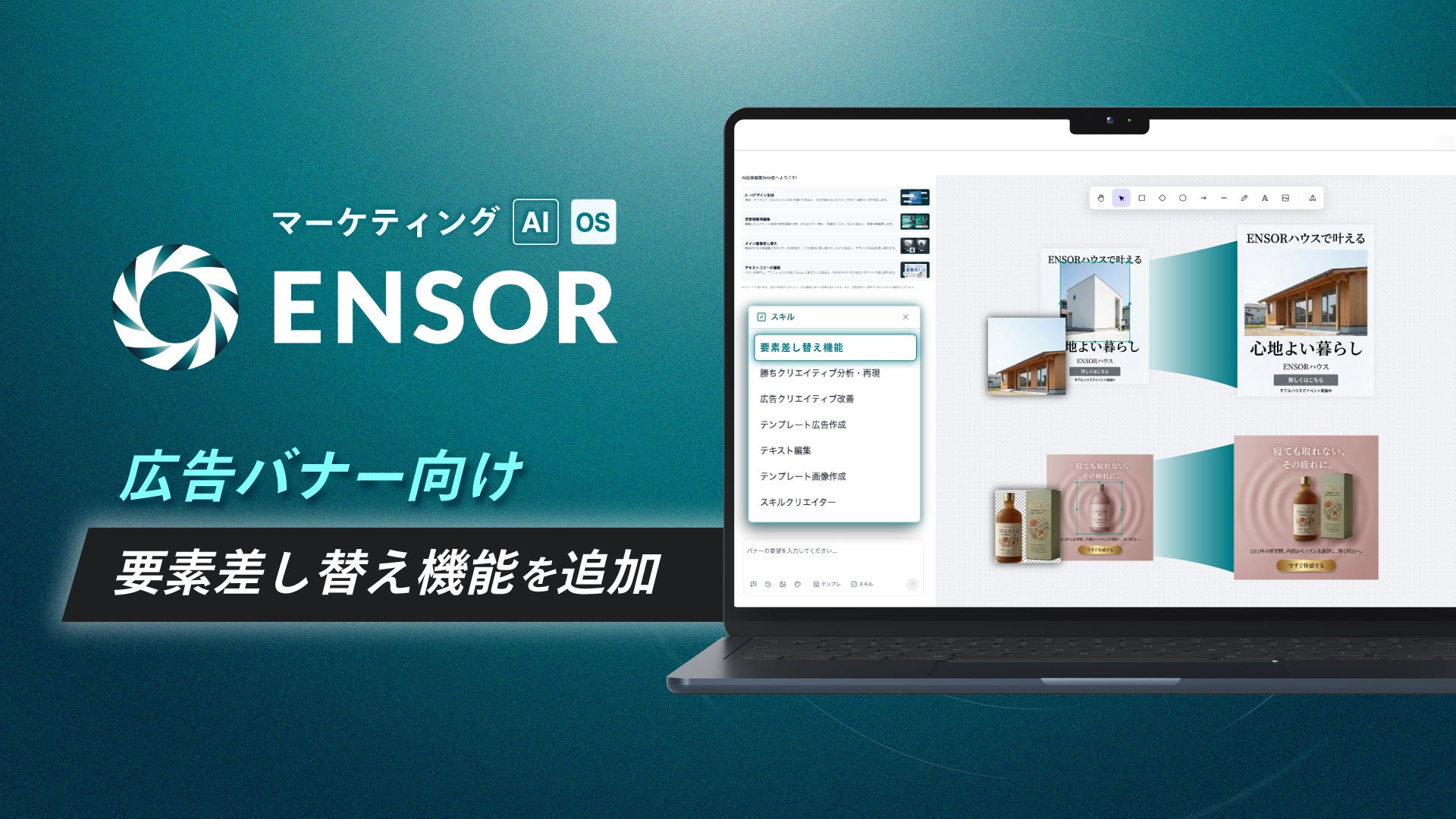
REHATCH Inc. (Headquarters: Chiyoda-ku, Tokyo, Representative Director: Ryota Sakoda) announces that it has equipped its Marketing AI OS "ENSOR" with a new feature, "Element Replacement," to support ad banner production.
■ Background of Release
In display advertising, there are many situations where appeals are switched by replacing only product images, logos, or key visuals while maintaining the same layout. On the other hand, when recreating the entire ad using image generation or editing tools, the "banner's sense of unity," such as the background, composition, and lighting, tends to break, leading to revisions and rework.
・Want to replace only photos or logos according to the appeal or placement, but do not want to change the background or lighting.
・Want to manage replacement work in a short time while maintaining design reproducibility.
・If there are too many operational steps, it becomes difficult to incorporate into the production workflow.
With this new feature, ENSOR provides an environment where users can obtain images with only the specified parts replaced by simply uploading an ad banner image with a selected area and a replacement material.
■ Details of New Feature
This feature precisely replaces specific elements (product images, logos, photos of people, etc.) within an ad banner with a different image in the user-selected area. It allows users to focus on element replacement while maintaining the atmosphere of the background, composition, and lighting outside the replaced area.
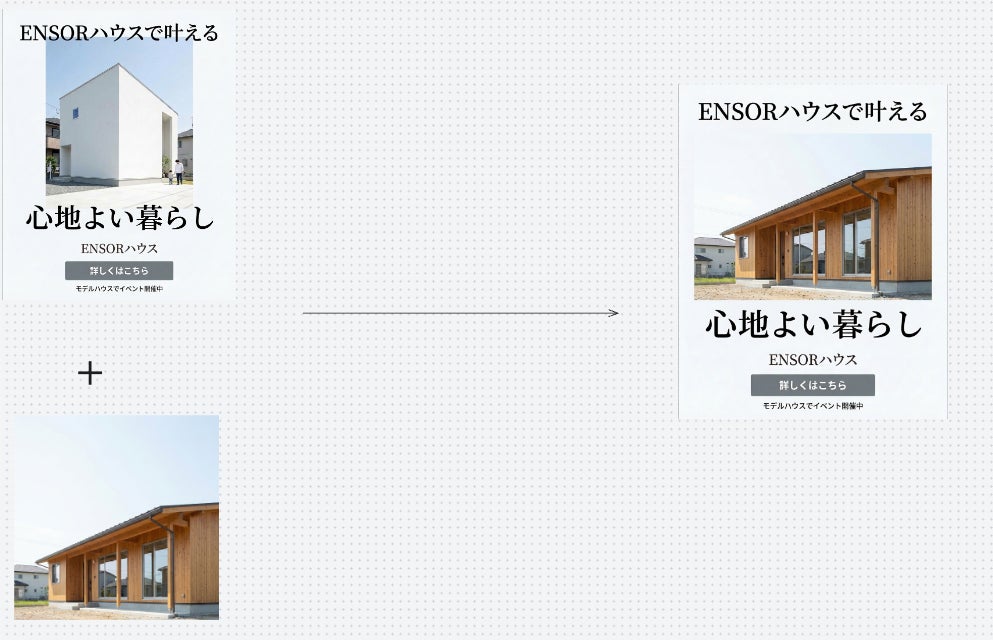
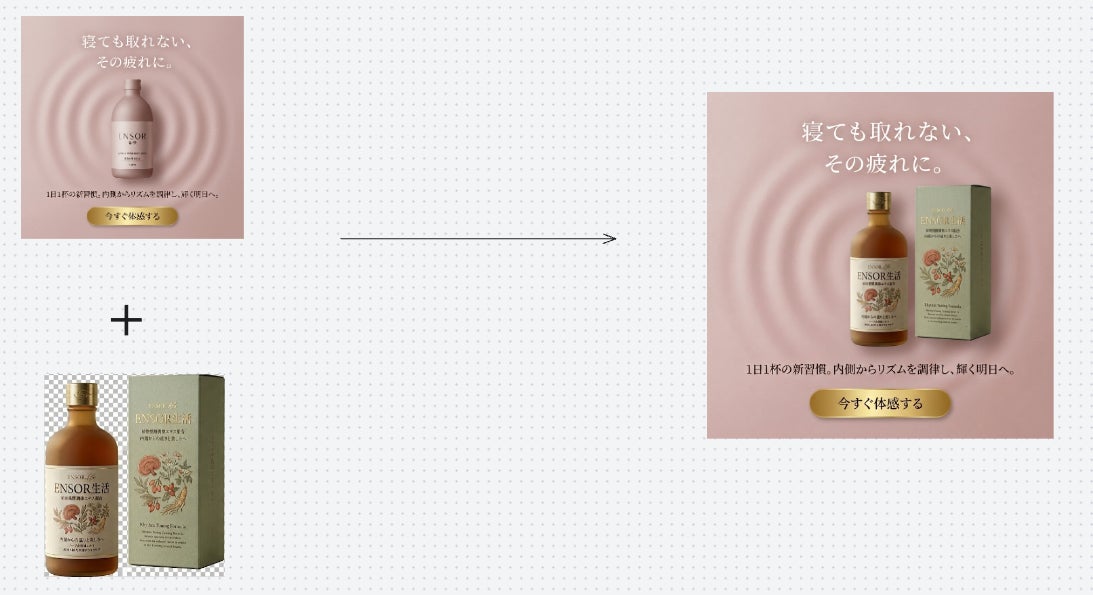
▼ Usage Flow (2 Steps)
Step 1: Launch the "Element Replacement" function and prepare the image according to the instructions.
Step 2: Upload the ad banner image with the selected area and the replacement image together.
Processing is executed once both images are provided, generating the result image without any unnecessary confirmation steps. Fine-tuning the output or replacing other parts can be done by repeating the same procedure...