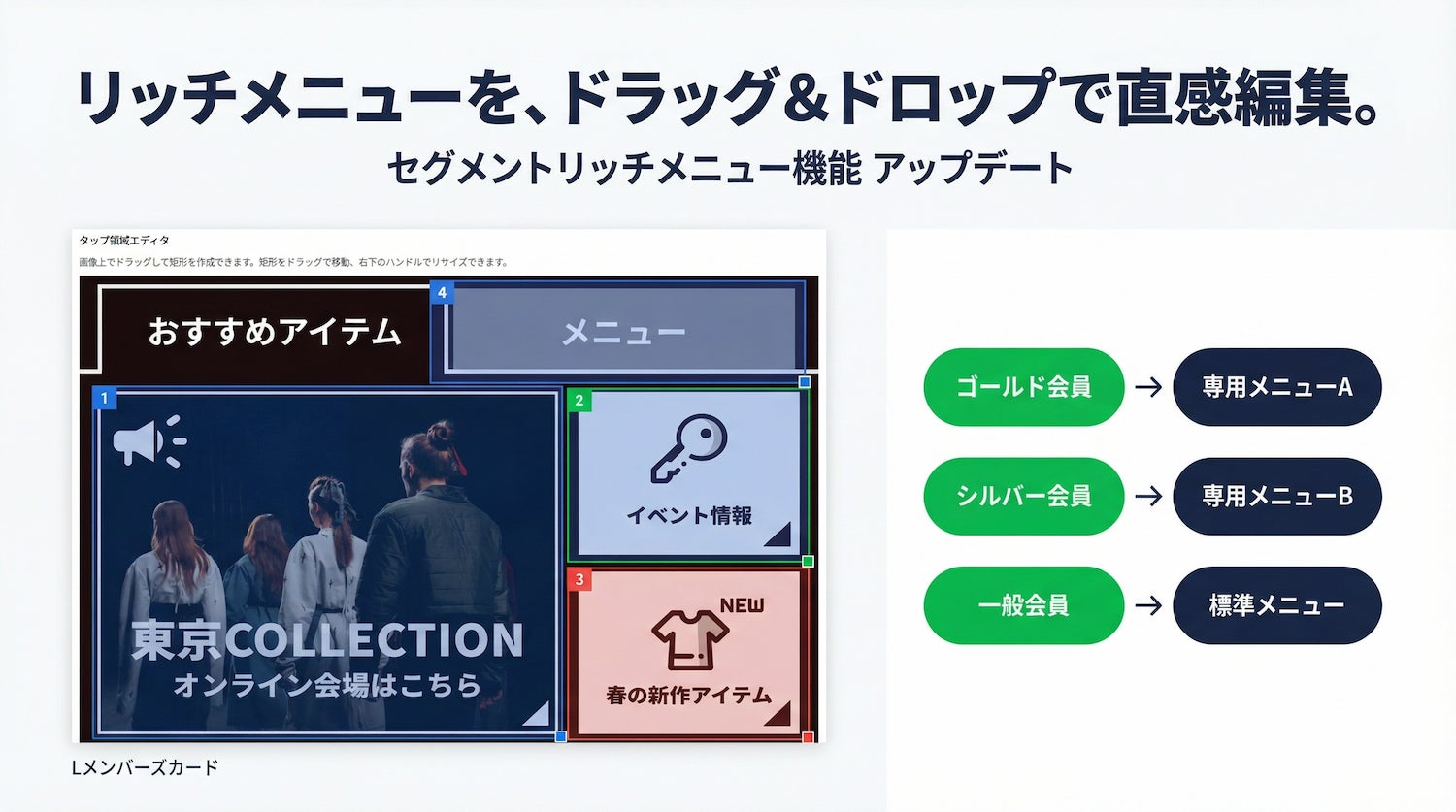
Oblivion LLC (Location: Chiyoda-ku, Tokyo, Representative Employee: Hideki Sato) is pleased to announce a significant update to the segment rich menu function within its LINE digital membership card system, 'L-Members Card,' by incorporating a visual editor.
Background of the Update
The LINE Official Account's 'Rich Menu' is a crucial element that greatly influences user flow, as it is constantly displayed at the bottom of the chat screen.
L-Members Card offers a 'Segment Rich Menu' function that displays different rich menus according to membership rank. However, previously, users had to manually enter numerical values for the tap area coordinates (X-coordinate, Y-coordinate, width, height), leading to feedback that the settings were 'difficult to understand.'
Update Details
With this update, we have incorporated a visual editor that allows users to create and edit tap areas directly on the rich menu image simply by dragging the mouse.
Key Features:
・ Create Areas by Dragging on Image You can intuitively create tap areas by simply dragging your mouse over the rich menu image. Manual input of coordinates is no longer necessary.
・ Drag to Move and Resize Support Created areas can be freely moved by dragging, and their size can be changed using the handle at the bottom right. Fine adjustments to match your design can be easily made.
・ Real-time Synchronization Operations on the visual editor are bidirectionally synchronized in real-time with numerical fields, allowing for flexible editing that combines visual manipulation with precise numerical specification.
・ Three Action Settings Each tap area can be set with one of three actions: 'Link (URL transition)', 'Text Send', or 'Rich Menu Switching'.
What is the Segment Rich Menu Function?
The L-Members Card's segment rich menu function automatically switches the displayed rich menu according to the membership rank.
- Common menu for all members and exclusive menu for specific ranks
FACT BOX
- Source: PR Times
- Category: News