八楽推出「圖片翻譯功能(Beta版)」一鍵翻譯嵌入文字的橫幅和圖表|大幅提升圖文並茂的內部資料翻譯效率
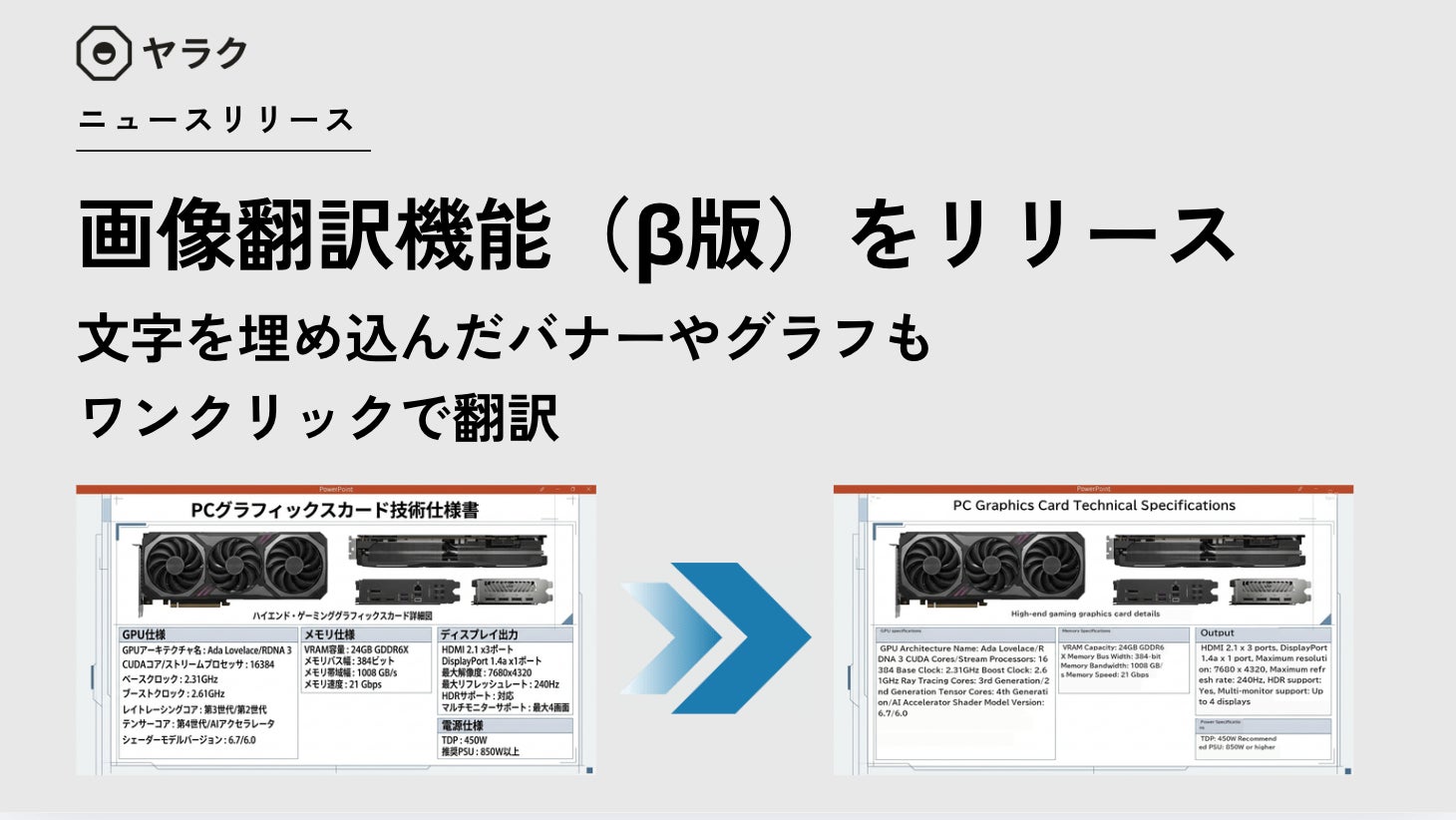
八楽推出「圖片翻譯功能(Beta版)」,可翻譯圖片中的文字並保持版面配置。
📋 文章處理履歷
- 📰 發表: 2026年3月30日 23:32
- 🔍 收集: 2026年3月30日 22:56
- 🤖 AI分析完成: 2026年4月15日 23:38(收集後384小時42分鐘)
提供搭載生成式AI的翻譯輔助工具(CAT Tool)「Yaraku Translator」的八楽股份有限公司(總公司:東京都澀谷區,代表取締役:坂西優,以下簡稱八楽)於2026年3月28日進行了更新,並全新發布了「圖片翻譯功能(Beta版)」。此功能可讓版面配置保持、文字嵌入及後續編輯(Post-editing)在同一應用程式內完成。
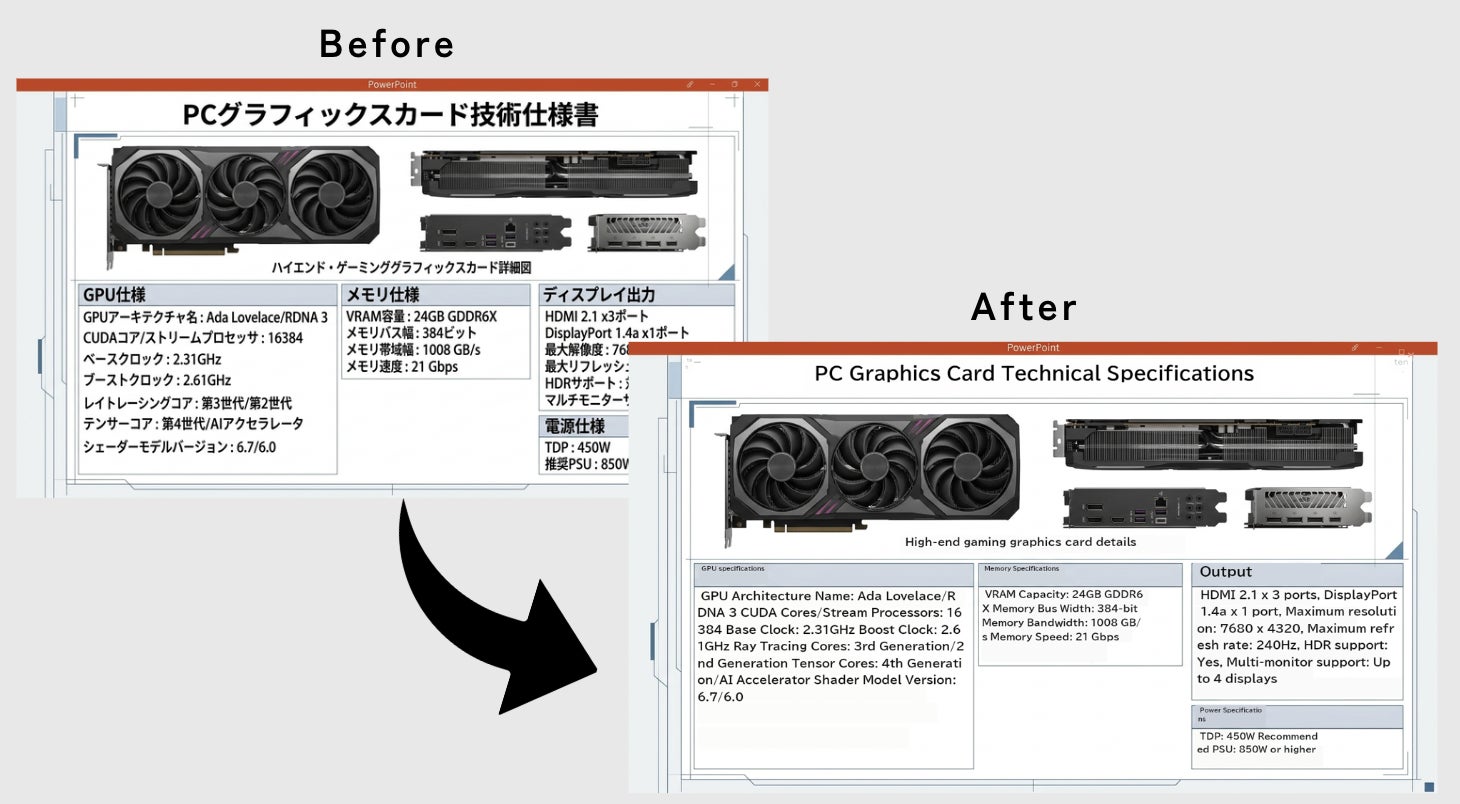
只需將PowerPoint和PDF檔案拖曳至Yaraku Translator,圖片中的文字、圖表的註釋等內容即可被翻譯。翻譯後的資料在最大程度保留原始版面配置的同時生成,且圖片內的文字可以直接在Yaraku Translator上進行後續編輯(Post-editing)。
此功能預計將廣泛應用於各種手冊、組織圖、簡報資料的翻譯,為製造業等現場帶來壓倒性的翻譯效率提升。
■ 功能特色:無需提示詞,拖放即可一鍵轉換
自動提取圖片中的文字並進行翻譯,同時保留原始背景和設計,自動重新排版並生成譯文。
無需像傳統的通用生成式AI那樣進行「提示詞調整」、「字體大小和版面配置的微調」等繁瑣操作,只需將欲翻譯的檔案(pptx或pdf)拖曳至Yaraku Translator畫面即可。
此外,生成的文字可以在Yaraku Translator上無縫進行後續編輯(Post-editing),您可以親手進行「稍微縮短一點」等調整。
■ 預期應用場景與適用產業/行業
此功能最適用於以下這些大量使用圖解、流程圖等視覺元素,且需要多語言展開的產業和業務:
製造業(汽車、精密儀器、電子設備等)
產品手冊、設計圖、安全管理手冊、工程專案管理資料的翻譯
IT・資訊通信
系統架構圖、網路圖、組織圖等多語言化
醫療・生命科學
事業推動資料、專業流程圖的翻譯
企業部門
與海外據點快速共享內部規定及簡報資料
■
常見問題
What is the new 'Image Translation Function (Beta)'?
The 'Image Translation Function (Beta)' is a new feature released by Yaraku Inc. for its translation support tool 'Yaraku Translator'. It allows users to translate text embedded within images, such as in banners and graphs, directly within PowerPoint and PDF files, while preserving the original layout.
How does the 'Image Translation Function (Beta)' work?
Users can simply drag and drop PowerPoint (.pptx) or PDF (.pdf) files into Yaraku Translator. The tool automatically extracts text from images, translates it, and then repositions the translated text within the original layout. The translated text can also be edited directly within the tool.
What are the main benefits of this feature?
The key benefits include drastically improved efficiency for translating documents with many illustrations, elimination of the need for manual prompt adjustments or layout fine-tuning required by general generative AI, and the ability to complete the entire translation and editing process within a single application.
Which industries or departments can benefit most from this feature?
This feature is particularly beneficial for industries and departments that frequently use visual elements in their documents and require multilingual communication. This includes manufacturing (manuals, drawings), IT/telecommunications (diagrams), medical/life sciences (flowcharts), and corporate departments (internal regulations, presentations) for sharing information with overseas branches.
Is this a final release or a beta version?
This is a beta version, indicating that the feature is still under development and may be subject to further improvements based on user feedback.