Yaraku Inc. Releases 'Image Translation Function (Beta)' Allowing One-Click Translation of Text Embedded in Banners and Graphs | Drastically Improves Efficiency of Translating Internal Documents with Many Illustrations
Yaraku Inc. has released its 'Image Translation Function (Beta)' which translates text within images while preserving layout.
📋 Article Processing Timeline
- 📰 Published: March 30, 2026 at 23:32
- 🔍 Collected: March 30, 2026 at 22:56
- 🤖 AI Analyzed: April 15, 2026 at 23:38 (384h 42m after Collected)
Yaraku Inc. (Head Office: Shibuya-ku, Tokyo; Representative Director: Yu Sakanishi; hereinafter referred to as Yaraku), a provider of the AI-powered translation support tool (CAT tool) 'Yaraku Translator', announced the release of its new 'Image Translation Function (Beta)' on March 28, 2026. This feature allows for layout preservation, text embedding, and post-editing to be completed within the same application.
Simply drag and drop PowerPoint and PDF files into Yaraku Translator, and the text within images, annotations in graphs, and more will be translated. Translated documents are generated while preserving the layout as much as possible, and the text within images can be post-edited directly within Yaraku Translator.
This function is expected to be utilized in the translation of various manuals, organizational charts, and presentation materials, realizing an overwhelming improvement in translation efficiency for on-site operations, particularly in the manufacturing industry.
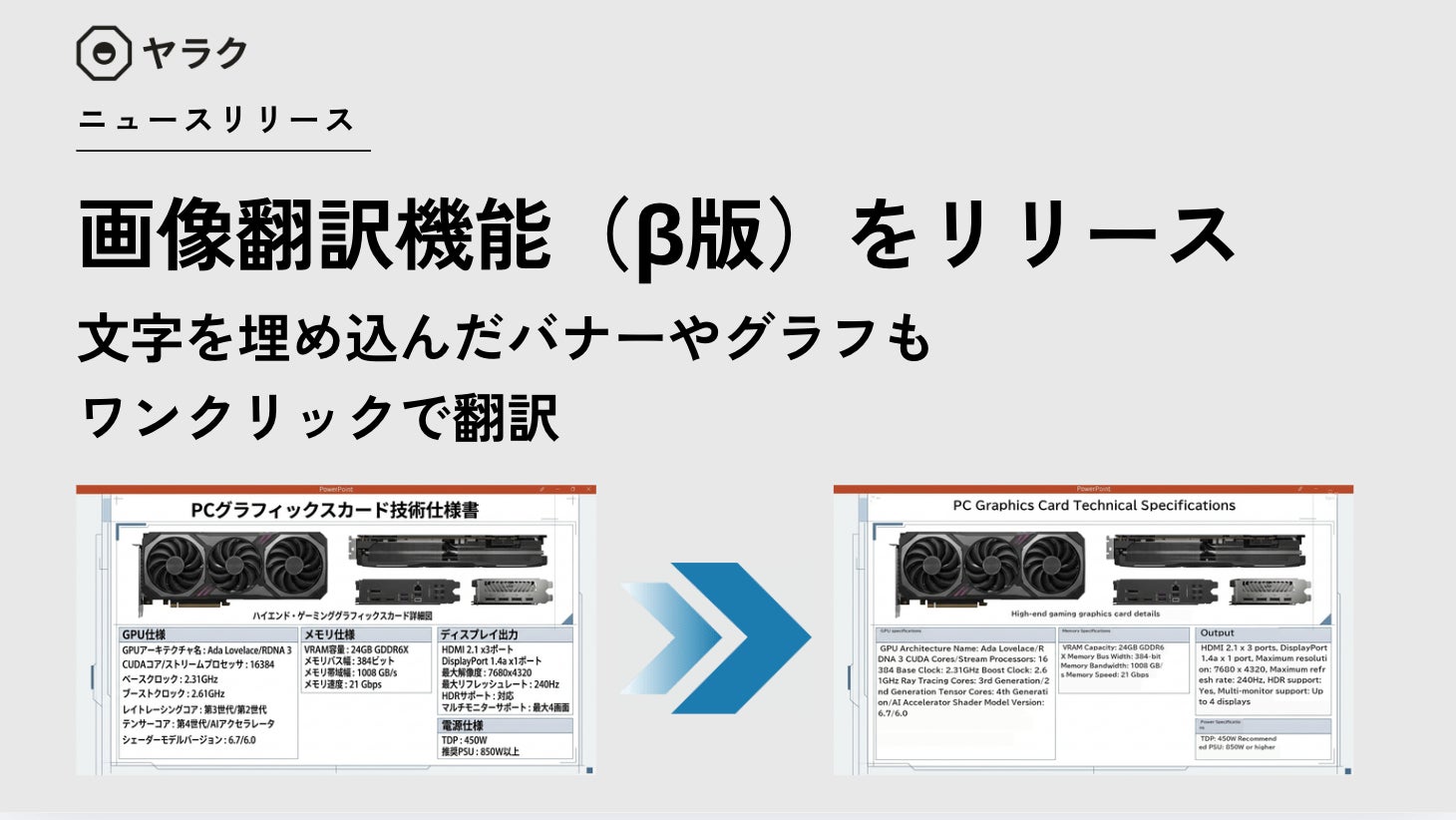
■ Feature Highlights: No Prompting Required. One-Click Conversion with Drag & Drop
The function automatically extracts and translates text within images, then automatically repositions and generates the translated text while preserving the original background and design.
It eliminates the need for the tedious tasks associated with conventional general-purpose generative AI, such as 'prompt adjustment' and 'minor adjustments to font size and layout'. Simply drag and drop the file you want to translate (pptx or pdf) onto the Yaraku Translator screen.
Furthermore, the generated text can be seamlessly post-edited within Yaraku Translator, allowing for adjustments like 'make it a little shorter' with your own hands.
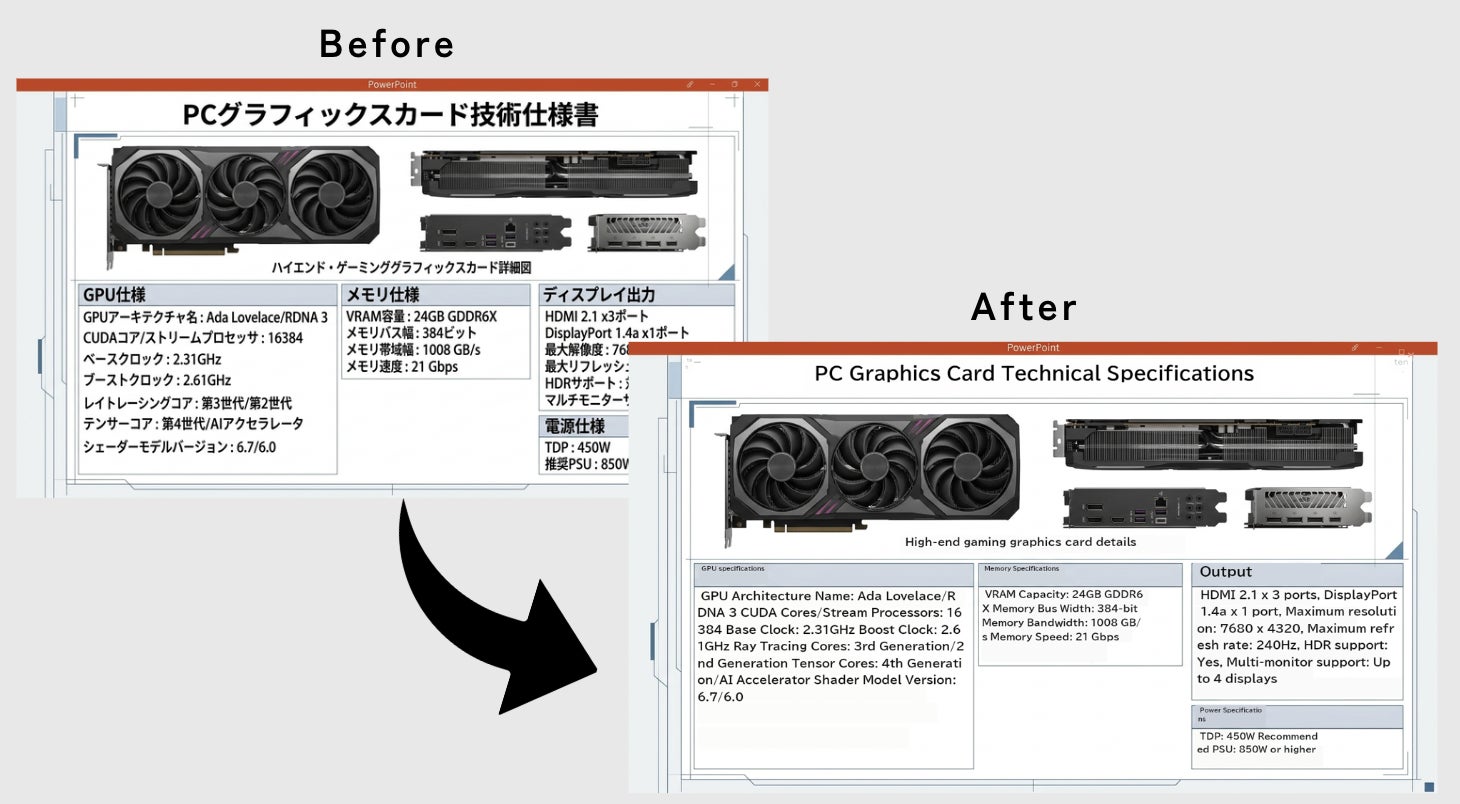
■ Anticipated Use Cases and Suitable Industries/Sectors
This feature is ideal for the following industries and operations that heavily utilize visual elements such as illustrations and flowcharts, and require multilingual deployment:
Manufacturing Industry (Automotive, Precision Instruments, Electronic Devices, etc.)
Translation of product manuals, design drawings, safety management manuals, and engineering project management documents
IT and Telecommunications
Multilingualization of system configuration diagrams, network diagrams, organizational charts, etc.
Medical and Life Sciences
Translation of business promotion materials and specialized flowcharts
Corporate Departments
Rapid sharing of internal regulations and presentation materials with overseas branches
■
FAQ
What is the new 'Image Translation Function (Beta)'?
The 'Image Translation Function (Beta)' is a new feature released by Yaraku Inc. for its translation support tool 'Yaraku Translator'. It allows users to translate text embedded within images, such as in banners and graphs, directly within PowerPoint and PDF files, while preserving the original layout.
How does the 'Image Translation Function (Beta)' work?
Users can simply drag and drop PowerPoint (.pptx) or PDF (.pdf) files into Yaraku Translator. The tool automatically extracts text from images, translates it, and then repositions the translated text within the original layout. The translated text can also be edited directly within the tool.
What are the main benefits of this feature?
The key benefits include drastically improved efficiency for translating documents with many illustrations, elimination of the need for manual prompt adjustments or layout fine-tuning required by general generative AI, and the ability to complete the entire translation and editing process within a single application.
Which industries or departments can benefit most from this feature?
This feature is particularly beneficial for industries and departments that frequently use visual elements in their documents and require multilingual communication. This includes manufacturing (manuals, drawings), IT/telecommunications (diagrams), medical/life sciences (flowcharts), and corporate departments (internal regulations, presentations) for sharing information with overseas branches.
Is this a final release or a beta version?
This is a beta version, indicating that the feature is still under development and may be subject to further improvements based on user feedback.