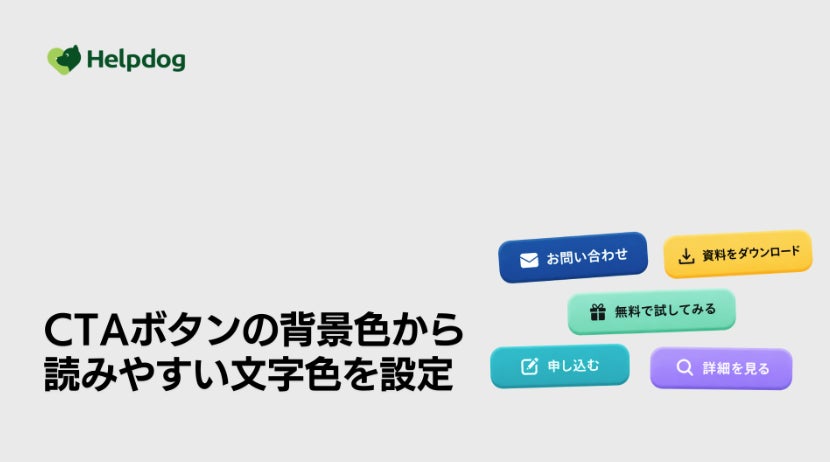
noco Inc. (Headquarters: Chuo-ku, Tokyo, Representative Director: Ken Horibe) announces that it has improved the "Automatic CTA Button Text Color Adjustment" feature within its AI customer support system "Help Dog" (https://helpdog.ai). This feature automatically switches the text color of CTA buttons based on the background color.
This improvement allows for the determination of text colors with higher visibility against the button's background color, maintaining readable buttons without the need for detailed color adjustments.
Background: Choosing Text Colors to Match Button Backgrounds is Difficult
In FAQ sites and help pages, CTA buttons are often used to guide users to inquiries or applications.
Button background colors can be freely specified to match brand colors, campaigns, and more. However, selecting a readable text color for that background is surprisingly difficult, and in some cases, the text can blend into the background and become hard to see depending on the color scheme.
As users browse sites from various environments, buttons where the text is clearly visible ensure that guidance is correctly conveyed and make it easier to prompt the next action. Nevertheless, adjusting the text color for each button while checking its visibility has been a considerable burden for operational staff.
Details of the Improvement
The "Automatic CTA Button Text Color Adjustment" function judges the background color set for a button and automatically applies the more readable color between white and black. While it previously supported switching between white and black, this update allows for a more accurate evaluation of the contrast between the background and text than before.
As a result, even with color schemes that previously tended to make text difficult to read, a clearly legible text color will be selected. No special settings are required to apply this improvement.
Simply specify the button's background color as before, and the optimal text color will be automatically reflected. Staff only need to decide on the background color, without needing to worry about adjusting the text color. Readable buttons can be maintained without knowledge of color schemes, leading to a user-friendly experience for users and a reduced burden for staff.
Buttons to Which Automatic Adjustment Applies
This improvement applies to CTA buttons installed in various parts of Help Dog. The main targets are as follows:
- Form Function: Form submission buttons - FAQ Site Function: Buttons in inquiry blocks - Header of the support widget - Start buttons and speech bubbles in the AI chatbot, etc.
Help Dog will continue to strive to improve the support experience and streamline support operations, from self-service assistance to human support, by making detailed improvements like this one, as an all-in-one AI customer support system that allows for integrated operation of FAQ sites, AI chatbots, and inquiry forms.
Details here
What is Help Dog?
"Help Dog" is an AI customer support system that integrates FAQ sites, AI chatbots, and forms. It provides an intuitive search experience and a clear UI so that users can quickly find the information they want, thereby reducing inquiries and improving customer satisfaction. Furthermore, it is equipped with a mechanism that allows staff to continuously operate and improve it without specialized knowledge, streamlining corporate support operations.
About Help Dog
All-in-one functions required for customer support
About noco Inc.
With the mission "To become a bridge between companies and customers, and turn all voices into value," we provide technology that solves user questions and challenges. Through our AI customer support system "Help Dog" and manual creation tool "Help Dog Manual," we support companies in reducing inquiries, improving operational efficiency, and enhancing customer experience. We aim to realize "Help Infrastructure," challenging ourselves to create a society where everyone can smoothly access information and act without hesitation.
Company Profile
Company Name
noco Inc.
Representative
Ken Horibe, Representative Director
Headquarters
8-13 Nihonbashi Kobunacho, Chuo-ku, Tokyo
Capital
76.06 million yen (including capital reserve)
Established
May 12, 2017
Corporate Site
https://nocoinc.co.jp/
Recruitment Site
https://nocoinc.co.jp/recruit/
Press Release
https://nocoinc.co.jp/news/press/1/
FACT BOX
- Source: PR TIMES
- Category: 製品アップデート