Meitu Introduces New Feature to Make Cherry Blossoms 'Full Bloom': Releases 'Cherry Blossom Effect' for Ideal Spring Shots Regardless of Blooming Status
Meitu releases 'Cherry Blossom Effect' that allows users to capture ideal cherry blossom photos regardless of their blooming status.
📋 Article Processing Timeline
- 📰 Published: March 28, 2026 at 20:02
- 🤖 AI Analyzed: May 26, 2026 at 21:27 (1417h 24m after Published)
Meitu, a company that develops image editing and processing apps, has released a new feature called 'Cherry Blossom Effect,' utilizing its unique image processing technology, just in time for the cherry blossom season.
This year, cherry blossom blooming varies by region and continues to be easily affected by weather conditions. In response to user feedback such as 'It wasn't full bloom despite being a special cherry blossom viewing,' 'Photos became dark due to rain,' and 'I was a bit late and the cherry blossoms had already fallen...', we developed this feature to allow users to capture ideal cherry blossom photos regardless of the blooming status.
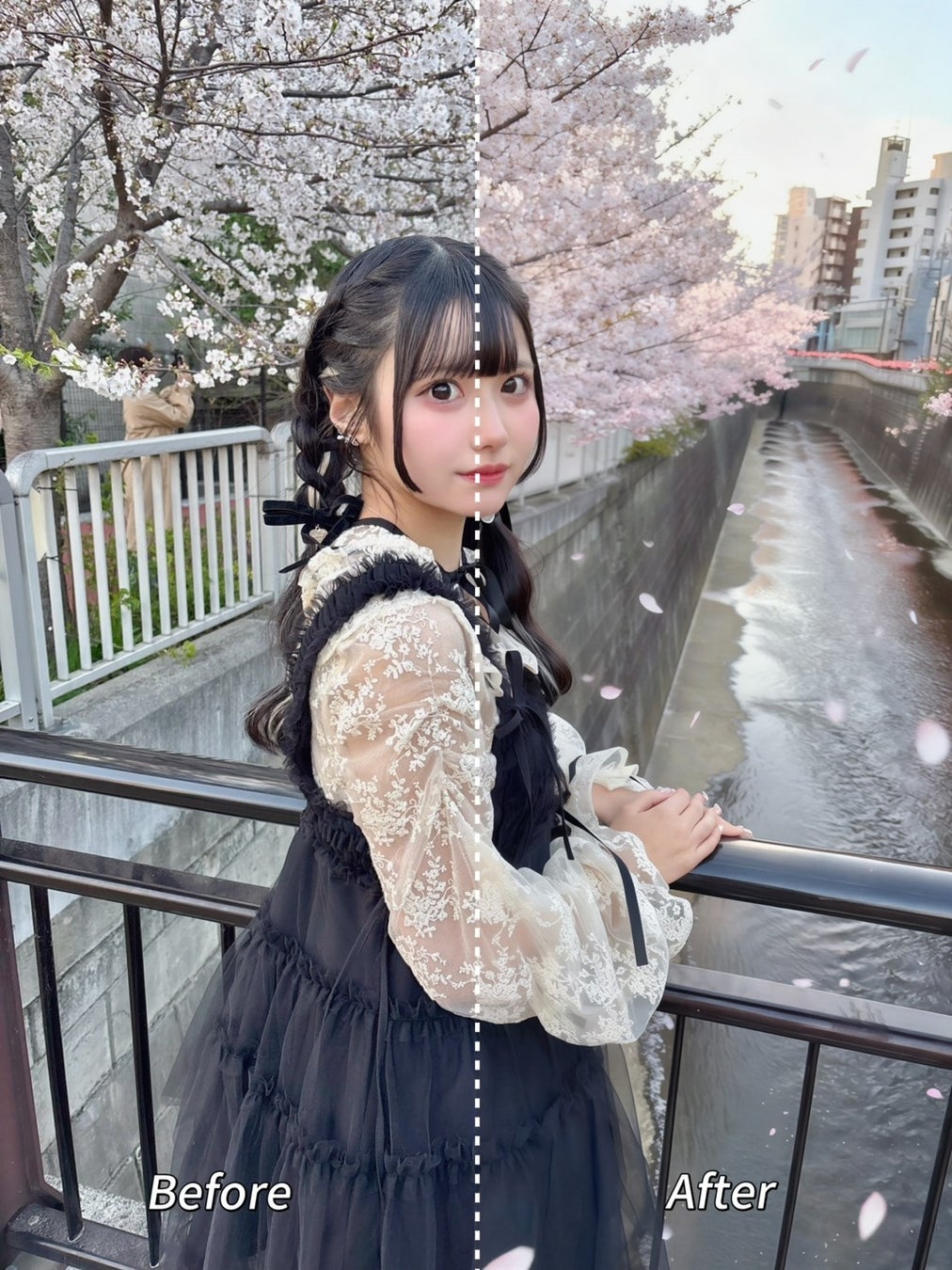
■ Feature Introduction: "Spring Cherry Blossoms" Depicted with Optimal Density
The "Spring Cherry Blossoms" effect automatically recognizes cherry blossom branches and trees in an image and naturally supplements missing petals. Even if the blossoms are only 50% open or just beginning to fall, it generates a full-bloom scene that fills the entire screen with a single tap.
■ How to Use
-
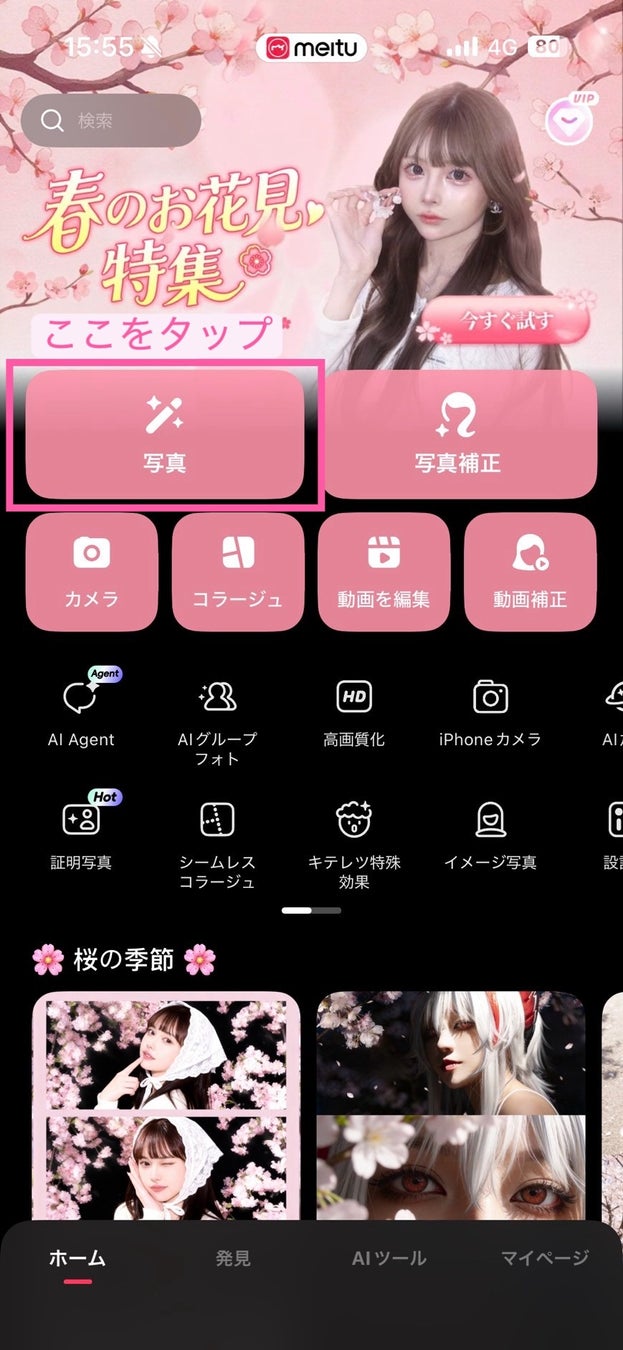
Launch the Meitu app and tap on an image
-
Select the image you want to edit
-
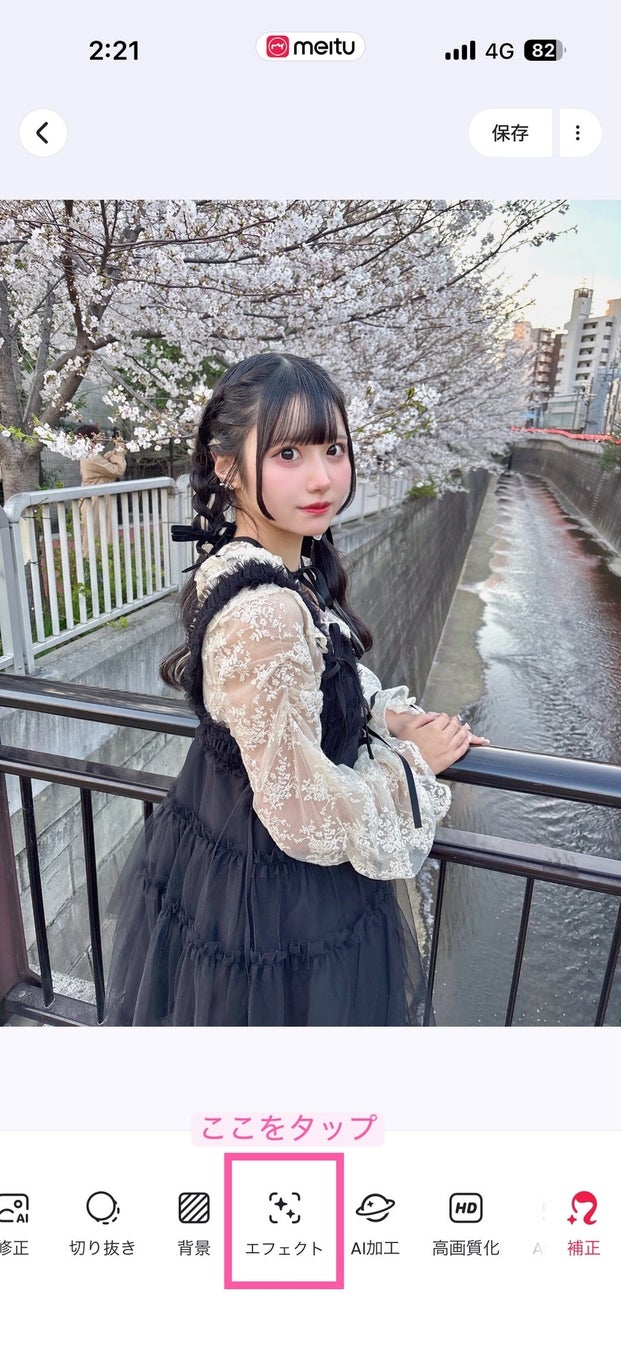
Tap "Effects"
-
Tap "Spring Cherry Blossoms" or "White Cherry Blossoms"